

Most comma rules in business emails come down to six jobs: after your greeting, after an introductory phrase, before “and,” “but” or “so” when they join two complete sentences, between items in a list, around extra information, and after your sign-off. Get those right and your emails read clean, clear, and professional.
This guide walks through each rule with real email examples and shows where The Chicago Manual of Style and the AP Stylebook differ. It also covers trouble spots like comma splices, the Oxford comma, dates and quotation marks. Small comma mistakes can change meaning or make a message feel sloppy, so it ends with a checklist you can run before you hit send.
Key Takeaways
- Greeting: “Hi, Sam,” with two commas is the traditional form. “Hi Sam,” is common and casual.
- Introductory words: put a comma after words like “However,” “Yes,” or “If you have time,”.
- Two complete sentences joined by “and,” “but” or “so”: use a comma before the conjunction.
- Comma splice: never join two complete sentences with a comma alone.
- Lists: Chicago uses the serial (Oxford) comma. AP leaves it out of most simple lists unless the meaning would be unclear.
- Extra information: set off non essential information with a pair of commas.
- Sign-off: put a comma after your closing, like “Best regards,”.
Why Commas Matter in Email
A comma tells your reader where to pause and which words belong together. Comma usage matters because incorrect commas can confuse readers, force a reread, or make a smart message seem careless and rushed.

You do not need to memorize a grammar book. You need about ten comma rules. They separate the parts of a sentence so readers can see how the elements relate. These rules cover almost every email, LinkedIn message and proposal you write. Here they are.
1. Commas After Greetings and in Direct Address
When you name the person you are talking to, that is called direct address. Chicago style puts a comma before a name used in direct address.
That means the traditional email greeting has two commas:
- “Hi, Sam,”
- “Good morning, Priya,”
The Chicago Manual of Style editors say the comma in a greeting like “Hi, Joe” is not overly formal. It has been the standard form in all kinds of correspondence for a long time. Leaving it out is casual, and some readers may see it as an error.
Chicago’s own blog also notes that in email greetings, the comma is more traditional than essential. In practice, “Hi Sam,” is everywhere. Pick one style for client emails and stay consistent.
Direct address shows up in the body of an email too:
- “Thanks, Maria, for sending the deck.”
- “Congratulations, Dev! The renewal is signed.”
- “Let me know if that works, Alex.”
Formal letters: comma or colon?
In a formal business letter, a colon often follows the salutation: “Dear Ms. Lee:” The Government of Canada’s writing guide says a comma is used after the salutation in a social business letter, such as one that offers thanks or congratulations. In this guide, the email examples use a comma, which fits the friendlier tone of everyday work email.
2. Commas After Introductory Words, Phrases and Clauses
Use a comma after an introductory element. It separates the introductory element from the main clause, where the main subject and main verb begin.
Introductory words:
- “Yes, the contract is ready.”
- “However, legal still needs to sign off.”
- “Unfortunately, the demo link expired.”
Introductory phrases:
- “After the call, I updated the CRM.”
- “Based on your notes, the pilot should start in March.”
Introductory clauses:

- “If you have 15 minutes on Thursday, I can walk you through it.”
- “When the budget is approved, we will send the order form.”
Some style guides let you drop the comma after a very short introductory phrase, like “On Monday we launch.” Adding it is never wrong, and it helps on a phone screen.
3. Comma Before “And,” “But” or “So” in Compound Sentences
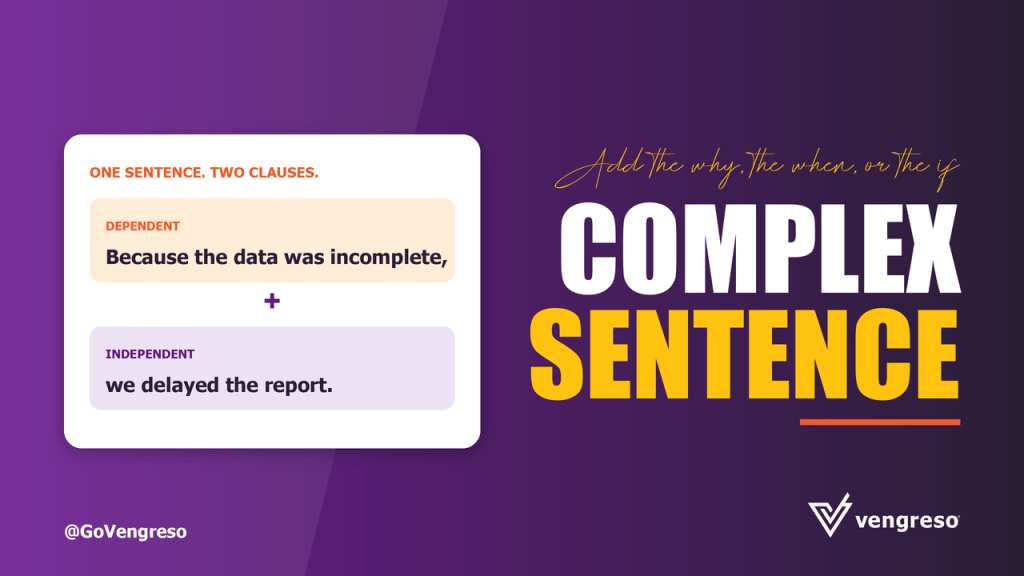
A compound sentence joins two independent clauses. An independent clause is a complete thought with its own subject and verb. Coordinating conjunctions (for, and, nor, but, or, yet, so) connect words, phrases and clauses. Put a comma before one only when it joins two independent clauses.

- “The proposal is attached, and pricing is on page 3.”
- “I called twice, but her line went to voicemail.”
- “The quarter ends Friday, so I need your signature by Thursday.”
When you do not need a comma
If the second part is not a complete sentence, skip the comma. This is called a compound predicate: one subject with two verbs.
- Correct: “I reviewed the notes and sent the summary.”
- Incorrect: “I reviewed the notes, and sent the summary.”
The test is simple. In your own writing, read the words after the conjunction on their own. Can that second half stand alone as a complete sentence? If yes, use the comma. If no, leave it out.
4. Avoid the Comma Splice
A comma splice is a type of run-on sentence. It happens when you join two complete sentences with only a comma. It is one of the most common comma mistakes in fast email.

- Wrong: “Thanks for the call, I will send the recap today.”
- Wrong: “The link is broken, can you resend it?”
You have three easy fixes:
- Use a period. “Thanks for the call. I will send the recap today.”
- Add a conjunction. “Thanks for the call, and I will send the recap today.”
- Use a semicolon. “The link is broken; can you resend it?”
In email, the period is usually the best fix. Sentence length alone does not make a run-on, and even a long sentence can be correct if its clauses are joined properly. Short sentences are easier to read.
5. Commas in Lists and the Oxford Comma
Use commas to separate three or more list elements. The comma before the final “and” or “or” is called the serial comma or Oxford comma. This is where the style guides split.

| Style guide | Serial comma? | Example |
|---|---|---|
| The Chicago Manual of Style | Yes, Chicago requires it | “Please bring the agenda, the pricing sheet, and the case study.” |
| AP Stylebook | Leave it out of most simple lists | “Please bring the agenda, the pricing sheet and the case study.” |
AP does not ban the Oxford comma, though. Its editors point to this line in the Stylebook: “Include a final comma in a simple series if omitting it could make the meaning unclear.”
Here is a work example where the final comma prevents confusion:

- Unclear: “I met with our partners, Jordan and Lee.”
- Clear: “I met with our partners, Jordan, and Lee.”
The first version could mean Jordan and Lee are the partners. If you mean three separate groups, the final comma makes it clear.
Coordinate adjectives
Put a comma between two adjectives when each one can describe the same noun on its own. A quick test: if you can swap their order or insert “and” between them naturally, use a comma.
- “It was a long, productive meeting.”
- “We need a clear, simple pricing page.”
Do not use a comma when the first adjective describes the whole phrase that follows it: “a new sales manager.”
6. Commas Around Non Essential Information
Some words add additional information that the sentence does not need. Set off this non essential information with two commas, one before and one after.

- “Our CFO, who joined last month, will join the call.”
- “The annual plan, which we discussed Tuesday, fits your team.”
- “The renewal, as you know, is due in May.”
The same goes for an appositive, a noun phrase that renames the noun next to it: “Dana Kim, our new account manager, will reach out Monday.”
If you remove the additional information, the main sentence should still be clear.
Essential information gets no commas. If the detail helps identify which person or thing you mean, it is essential.

- “The rep who closed the deal will lead onboarding.” (Which rep? The one who closed the deal.)
- “Reps who hit quota get the bonus.” (Only those reps.)
Many writers use “which” for nonrestrictive clauses (with commas) and “that” for restrictive clauses (no commas). That habit makes the rule easier to follow.
7. Commas With Dates, Numbers and Places
Dates: In a month-day-year date, put a comma after the day and after the year when the sentence keeps going.
- “The contract starts on March 3, 2027, and runs for 12 months.”
If you write only the month and year, skip the comma: “The pilot starts in March 2027.”
Numbers: Use commas to group thousands in large numbers, like “$12,500” or “1,200 users.” Do not use a comma in a four-digit year.
Places: Set off a state or country after a city with commas.
- “Our team in Austin, Texas, will host the workshop.”
8. Commas With Quotation Marks
Use a comma to introduce a short quote in an email or a LinkedIn post.
- Her note said, “We are ready to move forward.”
- The client wrote, “Please send the updated quote.”
In American style, the comma that ends the lead-in goes before the opening quotation marks.

9. Commas After Sign-Offs
Put a comma after your closing, then your name on the next line. Capitalize only the first word.
- “Best regards,”
- “Thanks,”
- “Talk soon,”
The Government of Canada’s writing guide gives this rule for business letters: capitalize the first word only and put a comma after the complimentary close.
Before and After: Fix These Real Work Sentences

| Where you write it | Before | After |
|---|---|---|
| Email greeting | “Hi Jordan I hope your week is going well.” | “Hi, Jordan,” then start “I hope your week is going well.” on the next line. |
| Follow-up email | “Thanks for your time today I will send the proposal by Friday.” | “Thanks for your time today. I will send the proposal by Friday.” |
| Cold email | “If you are open to it I would love to share what we learned.” | “If you are open to it, I would love to share what we learned.” |
| Proposal | “Phase 1 covers discovery setup and training.” | “Phase 1 covers discovery, setup, and training.” |
| CRM note | “Spoke with Dana, she wants pricing by Monday.” | “Spoke with Dana. She wants pricing by Monday.” |
| Slack message | “The deck is done but the numbers need a final check.” | “The deck is done, but the numbers need a final check.” |
| LinkedIn post | “Our VP of Sales who joined in June shared three lessons.” | “Our VP of Sales, who joined in June, shared three lessons.” |
| Sign-off | “Best Regards” | “Best regards,” |
Comma Checklist Before You Hit Send
Run this quick check on any important email:

- Is there a comma after the greeting (and after “Hi,” if you use the formal style)?
- Does every introductory word, phrase or clause end with a comma?
- Did you use a comma before “and,” “but” or “so” only when both sides are complete sentences?
- Did you fix every comma splice with a period, a semicolon or a conjunction?
- Are your lists consistent: always with the Oxford comma, or always without?
- Is extra information set off with two commas, not one?
- Do dates have a comma after the day and after the year mid-sentence?
- Is there a comma after your sign-off?
If a sentence needs more than three commas, try splitting it into two sentences instead.
Catch Comma Mistakes Before You Hit Send
Even when you know the rules, commas slip through when you type fast. A missed comma splice in a proposal or a client email is easy to fix before it goes out and hard to take back after.
FlyMSG AI Grammar Checker is a free Chrome and Edge browser extension that flags grammar, spelling and punctuation slips, including comma mistakes, as you type. It works on any website with a text field, such as email, LinkedIn and your CRM, and it supports 80+ languages.
FlyMSG has a free plan. If you upgrade, use code 20PercentYr1 for 20% off your first year on an annual Growth or Business Pro plan.
Want to tighten the rest of your message too? Read our guides on how to start an email and how to end an email.
FAQ
When should I use a colon instead of a comma?
Use a colon after a complete sentence to introduce a list or an explanation: “Here is what I need: the logo, the quote, and the sign-off date.” In a formal business letter, a colon can also follow the salutation, as in “Dear Ms. Lee:”.
Do you put a comma after “e.g.” and “i.e.”?
In American business writing, yes. Put a comma after each one and usually a comma before it: “Send the files we discussed, i.e., the contract and the pricing sheet.” Use “e.g.” to give examples and “i.e.” to mean “that is.” In email, “for example” or “that is” often reads more clearly.