

Proofreading is the final stage of writing. It is your last pass to catch surface-level mistakes in spelling, grammar, punctuation, and formatting before you send or publish. Effective self-proofreading is a step-by-step process: step away from your draft, change how you view it, read it aloud, then check for one error at a time.
Built for busy professionals, salespeople, marketers, and other knowledge workers, this guide gives you a practical checklist for emails, LinkedIn posts, Slack messages, proposals, and work documents so your writing sounds polished every time you hit send. You’ll also learn how proofreading differs from editing, which techniques find the most errors, how to verify factual details, and where tools like FlyMSG AI Grammar Checker can speed up the final review without replacing your judgment.
Key Takeaways
- Take a break before proofreading, even five minutes. Your brain fills in what you meant to write, not what you actually typed.
- Change the view, read aloud, and proofread in focused passes (spelling, grammar, formatting, names and numbers, links and attachments) for better results.
- Proofreading is different from editing. Editing reshapes content and structure. Proofreading cleans up surface errors in your final draft.
- AI tools like FlyMSG AI Grammar Checker catch many grammar, punctuation and spelling mistakes before you send, but only you can judge tone, clarity and intent.
- This article includes a printable self-proofreading checklist and a quick quiz you can use on your next email or LinkedIn post.
What Proofreading Is (and How It Differs From Editing)
Proofreading is the final stage of the writing process. It is the last review of your draft to catch surface-level issues like spelling errors, grammatical errors, punctuation mistakes and formatting errors, right before you send or publish. Proofreading focuses on correcting grammar, punctuation, and spelling errors. It does not involve big rewrites.
How is this different from editing? Editing involves significant revisions to the text. It focuses on content and structure improvements: reordering sections, rewriting weak paragraphs, tightening your argument, adjusting tone. Proofreading should be done after all editing revisions are complete. It is the final step before publication.
Think about your own work. You proofread a proposal right before it goes to a client. You reread a LinkedIn post before clicking publish. You scan a sales email before sending it to 500 prospects in a sequence. Errors can damage your credibility and make writing appear careless. Proofreaders ensure documents are free from typographical errors, and proofreading helps maintain professionalism in written communication.
Here is a quick way to remember the difference:
- Editing: Reordering sections, changing the overall structure, rewriting weak paragraphs, adjusting the thesis or argument
- Proofreading: Fixing typos, catching missing words, removing double spaces, correcting a wrong date or comma
Many writing centers, and The Chicago Manual of Style, treat editing and proofreading as separate stages in a healthy writing process. If you skip the proofreading process, you risk losing focus on the details that matter most to your reader.
Step 1: Take a Break Before You Proofread
Your brain plays tricks on you. After you write something, your mind fills in missing words and autocorrects mistakes before your eyes even see them. Taking a break before proofreading can improve error detection because it resets your attention.
How long should you wait? Here are some guidelines for busy professionals:
- Short Slack message or LinkedIn post: 5 to 10 minutes away
- Key prospecting email or marketing landing page: 30 to 60 minutes away
- Big proposal deck or a very large document: Overnight
Use the break wisely. Switch to a different task, walk to grab water, review a different document, or step away from the screen entirely.
Do this: Send the draft email to yourself and read it later with fresh eyes. Not this: Write, skim once, and immediately send to your VP or top prospect.
Even a short pause reduces the number of spelling mistakes and small grammar slips you miss during the proofreading process.

Step 2: Change How You View the Text
Changing the visual format helps your brain see problems that blended in before. It makes self-proofreading more objective.
Try these techniques for your work writing:
- Zoom in to 150% or out to 75%
- Change the font style or size temporarily
- Switch from dark mode to light mode (or the reverse)
- Print a one-page summary or export to PDF
- Preview an email campaign in your email tool’s preview mode instead of the editor
You can also read in a different place or on a different device. Review an email draft on your phone before sending it from your laptop. Scan a LinkedIn post preview in the mobile app. A marketer might catch a broken link or formatting issue once they preview an email campaign rather than only viewing it in the editor.
Professional proofreaders change the layout for this same reason.
Step 3: Read the Text Aloud (Or Use a Read-Aloud Tool)
Reading aloud forces you to slow down. Awkward phrasing, missing words and clunky sentences become much easier to hear than to see. Read your document aloud to identify mistakes more effectively.
Read your sales email, onboarding instructions or status update out loud at your desk. If you are in an open office, mouth the words silently or use a read-aloud feature on your device.
Here are some micro tips:
- Follow the text with your finger or cursor
- Pause at every period
- Mark spots where you run out of breath (that sentence is too long)
- Listen for robot-like or overly formal phrases that could confuse a client
This step helps with clarity, tone and rhythm as much as with catching spelling mistakes. Those are things only a human can truly judge. If the writing sounds off when you read your draft aloud, your intended audience will notice the same thing.

Step 4: Check One Error Type Per Pass
Proofreading one type of error at a time is more effective than checking everything at once. Use a systematic approach to catch as many errors as possible.
Here are focused passes you can run on a short email or LinkedIn post:
- Spelling and typos: Look for double words, missing words, common spelling mistakes. A spell checker will catch many, but not all. Reading backwards can help you spot spelling mistakes because it forces you to see each word in isolation, not as part of a sentence.
- Punctuation: Scan for missing commas, extra periods, comma splices and inconsistent punctuation errors.
- Grammar and sentence structure: Check for subject-verb agreement, tense shifts, passive voice where active would be clearer, and run-on sentences. Make sure each sentence is clear and each individual sentence conveys one idea.
- Formatting and consistency: Look for inconsistent bullet styles, heading formats, spacing and alignment. Text formatting and consistency are part of the proofreading process. Confirm you used the correct format throughout.
- Tone and clarity: Read for unnecessary phrases, jargon your reader might not know, and vague calls to action. Remove anything that does not add meaning.
For the spelling pass, try reading sentence by sentence from bottom to top. It breaks the flow and forces you to notice each word on its own, which makes it a reliable way to find errors that hide in plain sight.
Step 5: Names, Numbers, Dates and Links
Factual details are where many professionals lose credibility, even when grammar and spelling look fine. You can write an error free email with perfect grammar and still embarrass yourself by getting a client’s name wrong.
Double-check these high-risk details:
- Client or company names and job titles
- Dollar amounts and discount percentages
- Dates and times of meetings (including time zones)
- Contract terms
- URLs and email addresses
Here are concrete examples of what goes wrong: sending a quote with the wrong price, inviting a client to a meeting at the wrong time zone, or linking to last year’s product page instead of the current one.
To test each item, click every link you include, compare numbers with your source document, copy and paste email addresses rather than retyping them, and confirm the spelling of names in your CRM. This is one area where an AI proofreader is less reliable because it does not know your client list or real prices. This pass always needs your direct attention.
Step 6: What AI Proofreaders Catch vs What Only You Catch
AI proofreaders and browser-based grammar checkers are great at spotting many technical errors quickly. They work fast and catch the slips tired eyes skip.
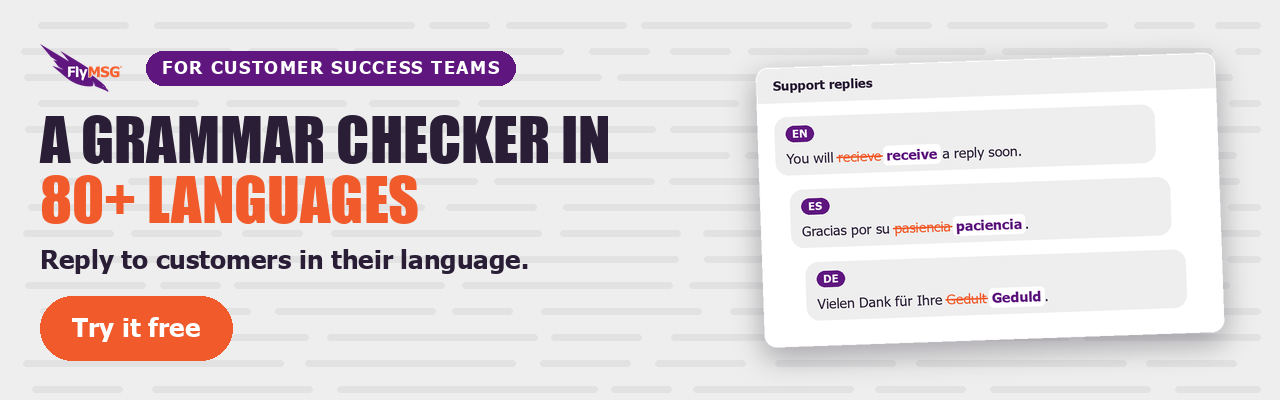
FlyMSG AI Grammar Checker is a free Chrome and Edge browser extension that runs a first proofreading pass while you type. It flags grammar, spelling and punctuation slips on any website with a text field, including email, LinkedIn and your CRM. It supports 80+ languages, and FlyMSG has a free plan. If you upgrade, use code 20PercentYr1 for 20% off your first year on an annual Growth or Business Pro plan.
Where does it help most? Catching a typo in a campaign subject line. Fixing a verb tense error in a LinkedIn message. Flagging a missing period in a customer success update. These are proofreading tasks that happen fast and quietly in the background.
But automated tools can miss contextual errors or suggest changes that alter meaning. Here is what only you can catch:
- Whether the tone matches your intended audience
- Whether the call to action is clear
- Whether sensitive topics are framed respectfully
- Whether internal jargon needs to be removed
- Whether the offer, date or price is correct
An online proofreader or spell check tool is your first line of defense, not your last word. Your judgment always finishes the job.
Step 7: Compare Before-and-After Examples
Seeing real work sentences before and after proofreading makes the process concrete. Here are examples from common work contexts. Notice how a quick round of editing and focused proofreading improves clarity, corrections and tone.
| Before | After |
|---|---|
| Hi Sarah, just wanted to follow-up on our proposal from Febuary 14th, let me know if your team have any questions? | Hi Sarah, I wanted to follow up on our proposal from February 14. Let me know if your team has any questions. |
| Exited to anounce our new feature that will help you save time and be more productive and efficient at work!! | Excited to announce our new feature. It helps you save time and work more efficiently. |
| @team the Q3 deck is ready for review, its in the shared drive, please review and provide feed back by friday | @team The Q3 deck is ready for review. It’s in the shared drive. Please review and share feedback by Friday. |
| Quick update, the meeting moved to 3 PM on Thurday, please update you’re calendar | Quick update: the meeting moved to 3 PM on Thursday. Please update your calendar. |
Step 8: A Printable Self-Proofreading Checklist
Use this checklist before sending important emails, proposals, LinkedIn posts or messages to senior leaders. Copy and paste it into a note-taking app or tape it near your monitor.
- [ ] I took at least a 5-minute break before rereading
- [ ] I changed how the text looks (font, zoom, mode or device)
- [ ] I read the text aloud at least once
- [ ] I did a spelling and typo pass (used a spell checker too)
- [ ] I did a punctuation and grammar pass
- [ ] I checked formatting and consistency (bullets, headings, spacing)
- [ ] I verified all names, numbers, dates and job titles
- [ ] I clicked every link and checked any attachments
- [ ] I removed unnecessary phrases and jargon
- [ ] I read once from the reader’s point of view
- [ ] I confirmed tone matches the situation and audience
Customize this for your role. Add items like “check product codes” or “confirm compliance language” if those apply to your writing. Share it with your team.
Short Quiz: Can You Spot the Proofreading Issues?
Test your eye for common errors. Read each sentence carefully and find the mistakes before checking the answers below.
- “Were happy to confirm you’re meeting with the the VP of Sales on Wenesday at 2pm EST.”
- “Please review the attached report, it contains updated data form Q2 and Q3.”
- “Click hear to acess your free trail: www.example.com/signup”
Answers:
- “Were” should be “We’re.” “you’re” should be “your.” “the the” is a doubled word. “Wenesday” should be “Wednesday.” Corrected: “We’re happy to confirm your meeting with the VP of Sales on Wednesday at 2 PM EST.”
- This is a comma splice; replace the comma after “report” with a period or semicolon. “form” should be “from.” Corrected: “Please review the attached report. It contains updated data from Q2 and Q3.”
- “hear” should be “here.” “acess” should be “access.” “trail” should be “trial.” Corrected: “Click here to access your free trial: www.example.com/signup.”
You can create your own mini-quizzes from old emails or posts. Finding errors in past writing is one of the best ways to train yourself as your own proofreader.
How Style Guides and House Rules Fit Into Proofreading
Professional proofreading also checks for consistency with style guides and internal house style rules. A style guide is a published set of rules for writing. Common ones include The Chicago Manual of Style, The Associated Press (AP) Stylebook, APA and MLA. Companies often adapt these to build their own brand rules.
What might a proofreader check against a style guide?
- Capitalization of job titles
- Serial comma use (Chicago uses it; AP usually leaves it out)
- How dates and times are written
- Number formatting (AP spells out one through nine)
- Preferred spelling of certain terms (“email” vs “e-mail”)
- How links are presented in published materials
For example, AP style now uses the % sign with numerals (5%). Your marketing team may prefer title case for headings in all public documents. A quick style sheet keeps these decisions consistent.
Keep a simple team style sheet or shared document. It makes the revision process faster and your proofreading process more reliable over time. When your structure, format and terminology stay consistent across documents and daily messages, your reader notices the clarity, not the errors.
FAQ: Common Questions About Proofreading Your Own Writing
These questions cover extra topics that often come up once you begin building a proofreading habit at work.
What is the best free AI grammar checker?
The best free AI grammar checker is one that works where you write and catches errors as you type. FlyMSG AI Grammar Checker is a free Chrome and Edge browser extension that checks grammar, spelling and punctuation on any website with a text field, including email, LinkedIn and your CRM. It supports 80+ languages.
How many times should I proofread a short email?
For a routine email, one careful pass after a short break is usually enough. For a high-stakes message to a client or executive, two to three focused passes (one for spelling, one for grammar, one for tone and facts) will catch most common errors. Match the effort to the stakes.
When should I ask a coworker to proofread for me?
Consulting another person for proofreading can reveal errors you may not notice. Ask a coworker when the document is high-visibility (a board presentation, a press release, or a contract), when you have lost objectivity after many rounds of edits, or when the writing needs to land with an audience you are not part of. A second pair of fresh eyes catches what yours skip.
Make the Proofreading Process a Fast Daily Habit
A simple, repeatable proofreading process reduces errors in your emails, LinkedIn posts, proposals and internal messages. You do not need an hour. You need a checklist and the discipline to use it before you click send.
Start small. Use the checklist on your next important email or client-facing document. Build up from there. Tools like FlyMSG AI Grammar Checker can support your proofreading process by catching grammar errors, punctuation mistakes, and spelling mistakes in real time, but your own eyes and judgment always have the last word on what gets published.